
Google Drive has been a great asset in the classroom, it supports collaboration in the writing process by allowing writers to offer ideas and feedback during any stage in the writing process. Easy sharing, one-click digital portfolios, and even the possibility of real-time peer-to-peer interaction make it a powerful tool for budding writers. In the classroom, I used google docs and google slide to produce an e-book. It was a great way to introduce students to the writing process.
We have been working with “Just So Stories”. We have been reading and “Just So Stories” and now students were asked to write their own “Just So Stories.” First, students worked with google doc to start the first part of the writing process; prewriting. I organized them into pairs. I taught them the process of writing, then I explain how to peer review a student’s work on Google doc. In this example, you can see them already interacting with each other.
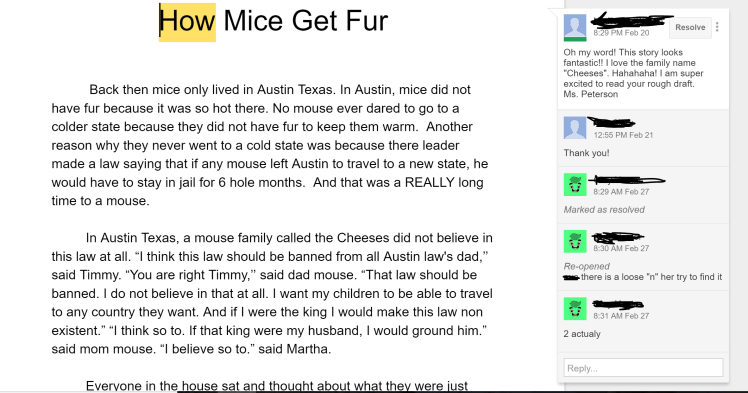
Another example here how I could interact with a student during the writing process.
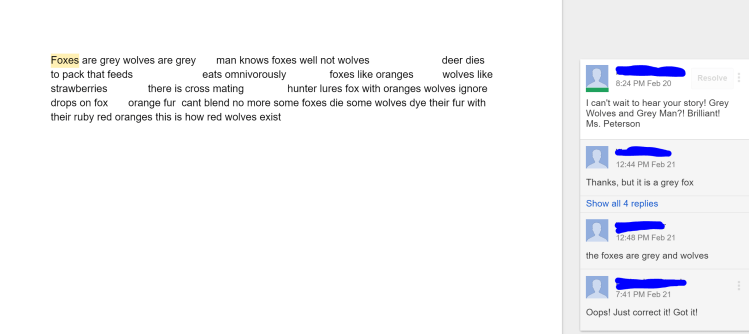
Students worked with peer editing and they continued to give tips and help find mistakes in each other’s work.
The next step was to publish and we used google slide to put the book together before we published on a PDF format.

The end result was incredible. Students published their e-books and shared with their classmates and school.
Here is the final work:

Google tools to help IEP and ESL students:
Google has all kinds of tools to help students who have an IEP or are part of ESL. Students took advantage of all the tools, from Chrome read&write, which is connected to google drive. We also took advantage of Google add-ons such as Kaizena and OneLook Thesaurus.
The best tool for this group was Google voice typing. It was an easy and fast tool for them to use.
 Around The World With Mrs. Peterson